

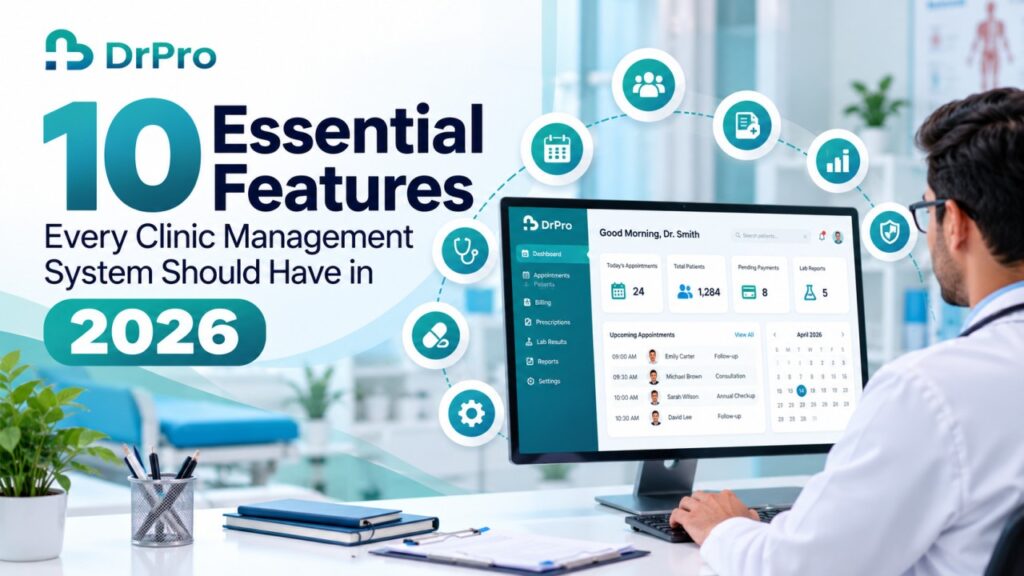
The healthcare industry is becoming more digital every day, and a thriving clinic today requires more than just knowing how to treat patients. Running a clinic, from scheduling appointments to keeping patients’ records to processing payments and running daily operations, clinic owners have their work cut out for them. As healthcare becomes more and more digitized, there is no longer simply an emphasis on doctors to efficiently run a clinic. Just having patients and providing the best service possible is not enough as a clinic owner. This is not limited to just booking appointments and handling patients.
Whenever you’re filling out spreadsheets or paperwork or using apps that aren’t compatible with your current system, you’re missing out on data, creating more admin work, and hindering the flow of your business.
But of course, one organized management system can have everything related to the smooth flow of the clinic. Choosing a clinic management system is more than pricing and feature counting; it has to reflect the everyday antics of a practice, be secure, and scale.
So, what do you look for before investing in clinic management software?
We look at 10 of the most common clinic management system features in 2026, how they are useful, and why you should look out for them in this guide.
Why Does Your Clinic Need a Management System?
All of us may have a simple problem of a general doctor to look after booking and keeping records of the appointments, but a multi-specialty clinic has the requirement of doctor bookings, lab management, pharmacy inventory and reports, revenue reports, etc.
A clinic management system, if well designed, will tie some of these activities together and minimize the use of paper. It can enable staff to easily find important information, organize the things they do routinely, and keep better records.
It is not the aim to make “more paperwork” digital, but instead to develop a better work sequence that can back up both doctors and patients.
10 Essential Features to Look for in Clinic Management Software
1. Intelligent Appointment Scheduling
It is the first point of contact for many patients in terms of a clinic’s operation. Manual scheduling can lead to multiple bookings, unexpected cancellations, unbalanced flow of patients, and receptionists can be overwhelmed.
Your clinic management software must allow an easier flow for scheduling while reducing the time staff and physicians spend on scheduling.
Key features such as:
- Online or assisted appointment booking.
- Doctor-wise availability and appointments.
- Easy rescheduling and cancellation.
- List of appointments and status of appointments daily.
- Auto confirmation and reminders for appointments.
Additional booking features may include repeat appointments, a selection of multiple clinics, and various types of consultation.
Business value: Structured appointment scheduling enables the clinic to efficiently organize its time, stage the patient’s visit, and minimize unnecessary administrative confusion.
2. Centralized Patient Records and Medical History
Because it is one of the most important. The medical history, consultation notes, diagnoses, prescriptions, tests, and investigation reports – all patient records should be systematically maintained so that they are easily available to authorized clinicians.
The system should offer a single EMR (Electronic Medical Record) facility that will help with proper and reliable record-keeping.
Check for:
- Automatic patient registration and profile.
- Medical reports and past consultation history.
- Record and history of diagnosis and treatment.
- Allergies and clinical observations.
- History of prescriptions and reports of tests
- Document uploads and record retrieval.
Staff should be able to access, read, or write content only if they are entitled to.
Business value: Having one record makes it easier for you to manage information about the patient and support continuity of care.
3. Digital Consultation and Prescription Management
Consultation notes are an essential element of your medical practice. Copying details, diagnoses,s and advice for medication instructions can make your workload even greater.
Digital consultation and prescription software enables doctors to enter details directly into the system.
Important features include:
- Structured consultation notes.
- Digital prescriptions with the medicine, dosage, frequency, and duration.
- Reusable prescription templates.
- Previous prescription history.
- Print and sharing options.
- Links between consultations and patient records.
Clinicians should be able to review and approve all clinical data rather than trying to pick the appropriate medication suggestions without input from a healthcare professional.
Business value: Digital documentation helps you to save time, to have your prescriptions more legible and to keep your consultation data in order.
4. Integrated Billing and Financial Management
Financial administration impacts nearly all aspects of clinic life. Payments for consultations, procedures, and other diagnostics, refunds and discounts, as well as older receivables need to be closely monitored.
Major functions:
- Invoice printing.
- Consultation and operation charge payment.
- List of items and pay stubs.
- The available payment methods.
- Discount and refund records.
- Debts and dues.
- Daily and monthly collection reports.
In practice with more than one service department, integrated billing helps avoid needless data entry and offers a clearer view of charges occurring throughout the practice.
Business value: Clinics maintain more accurate accounts when billing is more systematic, and online billing enables easier management of regular payments.
5. Doctor Scheduling and Staff Coordination
A Clinic can be run only when the people and their schedules and responsibilities are managed properly. Once there are more doctors and their backup staff, it becomes difficult to manage availability and access.
The software must enable the organization of the team’s schedule and define responsibilities.
Some useful features are:
- Profiles and opening hours of doctors.
- User accounts with login rights and rights according to user roles.
- Management of shifts and availability.
- Scheduling of appointments.
- Allocation of doctors per department or service.
- Interaction records and operational monitoring if is possible.
Receptionists at multi-doctor practices may benefit from seeing schedules of available consultation times.
Business value: Improved coordination minimizes scheduling conflicts and leads to a more controlled working environment.
6. Laboratory and Diagnostic Workflow Integration
Diagnostics comprise a significant element of many clinical processes. Maintaining test orders, lab records, and reports separately can result in a doubling of staff effort through re-keying the same information or wasting time tracking down results.
Laboratory integration is a requirement if diagnostic services are offered within the clinic.
The features that may be beneficial depending on the setting may include:
- Ordering tests;
- Test catalogues and pricing;
- Tracking samples and their status;
- Lab reporting;
- Access to results of finished investigations.
- Laboratory information system integration.
Clinic with in-house laboratory: Additional sample processing, review, and lab operation capabilities required.
Business value: Connected diagnostic workflows enhance the availability of information and eliminate duplicative, often redundant, administrative tasks.
7. Pharmacy and Inventory Control
Medicine stock and medical supplies clinics require stock details for the items they carry or offer. Proper stock administration allows observation of the expiry dates of the products, identifies missing regularly used medicines, and supports good purchasing.
Features of inventory and pharmacy support the clinic’s ability to monitor when stock is added or removed.
A practical system should include:
- Medicine and product inventories,
- Batch number and expiry-date management,
- Low inventory alerts,
- Purchase order and supplier management,
- Stock transfer and adjustment history
- Dispensing or sale records (if applicable).
For practices with an on-site pharmacy, integrating prescriptions with dispensing and inventory workflows can eliminate redundant data entry.
Business value: Increased inventory visibility helps with just-in-time replenishment, better purchasing behavior, and minimizes unnecessary waste.
8. Patient Communication and Follow-Up Management
Communications to the patient should not cease once an appointment is scheduled. Patients may require a reminder prior to their visit or updates on changes in their appointments, as well as after their appointment and when reports are ready.
The practice management application must have communication features that cater to your practice.
Features include:
- appointment confirmations & reminders.
- follow-up messages.
- SMS, WhatsApp & email integrations if enabled.
- patient notifications for service-related notifications.
- History of communication
- . Upon request, configurable message templates.
Clinics should also take into account consent, confidentiality, and other communication requirements when adopting automated messaging.
Business impact: Opportune messaging keeps patients in the loop and facilitates greater engagement between the clinic team and the patient.
9. Reports, Analytics, and Operational Insights
Clinic administration is not just about finishing the job every day; clinic owners need to determine “how are we doing?” by tracking appointment levels, how many visits we’re getting, revenue, resource utilization,n and what we can do better.
Tools to report turn everyday operating data into information that can help make better decisions.
Useful reports might consist of:
- Appointment and patient visit trends.
- New patient registrations.
- Doctor-wise consultation data.
- Revenue and collections summaries
- Outstanding payments.
- Medicine expiry and inventory reports.
- Laboratory activity reports (where applicable).
A good dashboard needs to be easy to understand and should have the ability to be filtered where necessary, while restricting sensitive reports to those with privileged access.
Business value: Accurate reporting allows clinic owners to track how the business is running, identify trends, and improve resource planning.
10. Data Security, Privacy, and Reliable Backup
The safety should also be as reliable as the digital convenience. Patients’ personal information that is entered and documented within the management software of the clinic such as: clinic management software.
A security-aware platform will offer protections protecting the integrity of information in its lifecycle.
Does the system provide:
- Role-based access controls
- Secure log-in
- Suitable data encryption
- Audit logs or activity logs where available
- Regular data backups and a clear restore process
- Clear data export and retention policies
- Adequate privacy and regulatory controls
Ask about cloud-based solutions where data is stored, how backups are handled, who has access to your data, and what you should do if you wish to switch.
In India, clinics need to look into what their potential requirements might be under the various existing data protection and health-related legislation, rather than simply assuming that they will meet compliance through the use of digital software.
Business value: Robust security measures safeguard the confidentiality of patients’ information, sustain operations, and foster confidence in digital healthcare systems.
How to Choose the Right Clinic Management System
Just because you have the right features doesn’t mean you know how to put them into practice. A comprehensive-looking system in a sales pitch may not be what you need daily.
Consider the following before making your choice.
The software must be simple for doctors, receptionists, and all other employees authorized to use it to use and learn how to use it.
Scalability: Select a system that will allow you to add additional doctors, clients/users, services,s and locations in the future.
Compatibility: Make sure it works with your current laboratory, pharmacy, accounting, payment, or communication software.
Customer support and training: Inquire about onboarding, technical support, staff training, and troubleshooting.
Cost transparency: Access details of subscription prices, setup fees, extra modules, user packs,s and costs for migrating your data.
You should be able to export and access your clinic’s data as a well-defined right.
Product demo: Create typical items that you would do during a visit with one of our patients, such as booking an appointment, logging a consultation record, making an invoice, and pulling up the patient’s history.
The right one is not always the one with the longest feature list. It is the one that caters for the real needs of your clinic and doesn’t add complexity where it isn’t needed.
How DrPro Supports Modern Clinic Management
Managing appointments, patient files, invoicing, and support services separately can become an admin burden as clinics move towards more integrated digital workflows.
DrPro offers clinic management software to support practices in managing core clinical and administrative procedures.
With the relevant modules and the chosen configuration, DrPro will be able to support clinics with workflows such as:
- Appointment scheduling and patient management.
- Electronic medical records and consultation documentation.
- Digital prescriptions and billing.
- Laboratory and diagnostic operations.
- Pharmacy and inventory management.
- Patient communication.
- Reports and operational monitoring.
Connecting functions can streamline clinics’ data and stop their administrative work from becoming duplicated.
Instead of selecting software merely on statements, owners should consider the modules available, the user-friendliness and data entry process and security features of software.
CONTACT US: Learn more about how DrPro can take care of your healthcare management needs and schedule a product demo to see how the platform integrates into your clinic’s workflow.
Conclusion
The ideal clinic management system will facilitate the streamlining, interconnectedness, and simplicity of routine healthcare practice. Scheduling consultations, electronic health records, digital prescriptions, billing, staff management, integration of tests and diagnostics, inventory management, communication with clients, reports, and data management would be part of a well-orchestrated digital practice.
However, the improvements are only going to be realized if the right set of features is selected, the personnel are well-trained, information remains accurate, and the workflow is reviewed periodically.
For smaller practices, just a few core modules will probably be enough as a starting point. Larger practices might require wider implementations involving laboratories, pharmacies, and administrators.
The objective is to choose a solution that enables you to run your business today but is sufficiently flexible to accommodate tomorrow.
Having good clinic management software allows healthcare staff to allocate less of their working hours to managing processes with disjointed systems, and allows them to allocate their time to take care of patients instead.
Want to arrange your clinic’s daily operations? Visit DrPro to find management software for your clinic.