

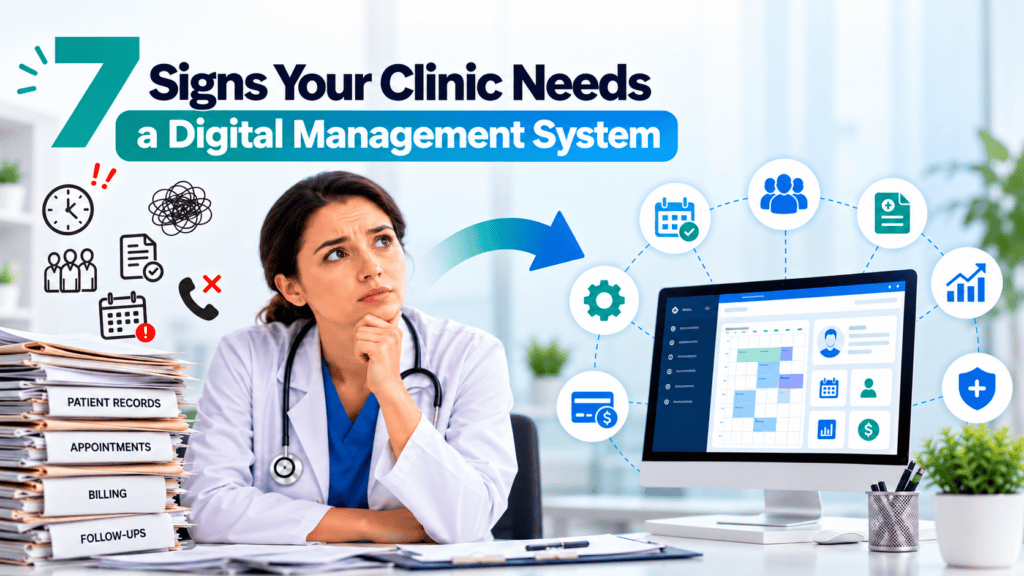
A clinic does more than just consult with patients. You, along with your doctors and other staff, need to accommodate appointments, track patient histories, formulate prescriptions, collect payments, manage administrative staff, and follow up with your patients to ensure their requirements are met. With all of these tasks depending on manual processes, a normal clinic is prone to unnecessary delays.
Many clinics utilize paper registers, spreadsheets, manual prescriptions, and different billing systems. While these systems work well when you see only a handful of patients, they become much more complicated as your clinic expands.
How a digital clinic management system assists the clinic: A digital clinic management system allows the clinic to centralise all clinic functions. Some clinic management software can assist with scheduling, EMR, digital prescriptions, billing, patient communication, and reporting.
So how do you know when to start moving away from manual processing?
Below are seven key signs that it’s time to start using clinic management software, so you can better manage your practice.
1. Your Clinic Struggles to Manage Appointments
The first of many problems that will become apparent with an increasing patient list is managing the appointment diary. The receptionist may be simultaneously dealing with a queue of callers, recording appointments, accepting walk-in patients, and chasing potential patients.
It can also result in double bookings, missed appointments, scheduling conflicts, and confusion about when a doctor is available.
For instance, a patient rings asking for an appointment at 11:00 AM. The receptionist booked someone in at 11:00 AM, only to find someone else waiting at that time. This can be frustrating for the patient and cause stress for the clinic staff.
How a digital system helps
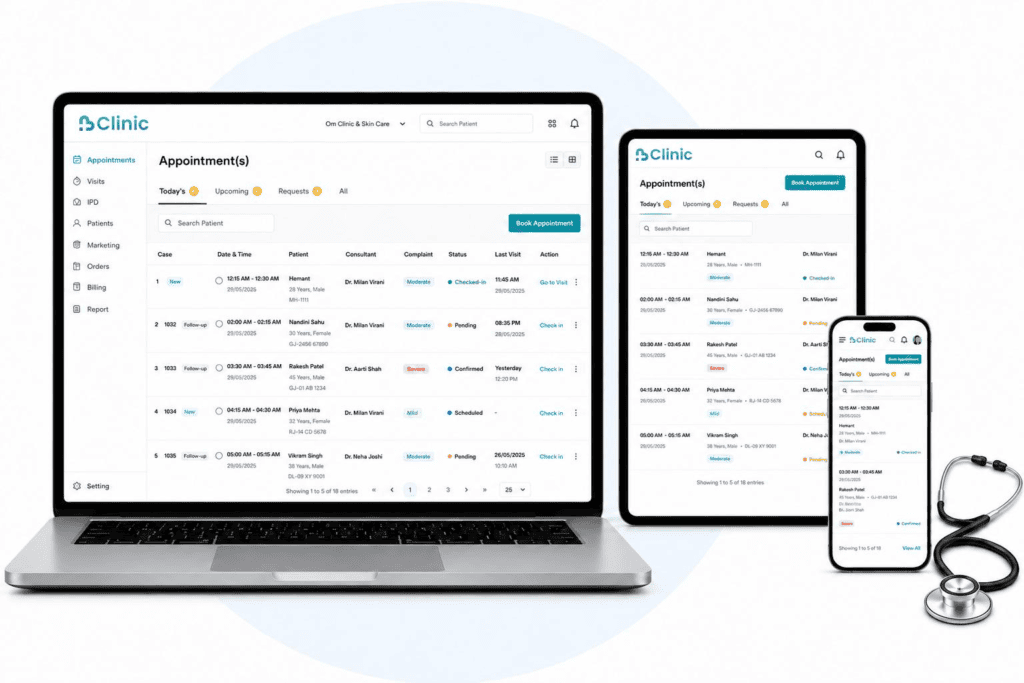
A clinic booking software can enable a centralised calendar of appointments, which can make viewing and managing bookings more straightforward for authorised staff.
Some useful features are:
- Online appointment scheduling: Schedule appointments and free time slots.
- Doctor-wise calendars: Choose a specific doctor to view what they are doing.
- Reminders for appointments: Send reminders via SMS, email, or message integrations supported.
- Walk-in management: Those presenting without an appointment.
- Rescheduling & cancellations: Modify bookings as needed without rewriting registers.
A well-structured appointment procedure helps staff direct patients properly and provides doctors with a wide perspective of the daily work schedule.
If your receptionists take a lot of time to organize appointments or frequently experience booking conflicts, a digital appointment system could ease the process.
2. Finding Patient Records Takes Too Much Time
Clinical information has a crucial role in care. General practitioners (GPs) and doctors are sometimes required to access information on a past consultation, diagnosis, medication, allergy, investigation report, or a form of treatment.
For information held in paper files or across a number of systems, taking that information out may take time. Files may be misfiled, or handwriting may be hard to read for other authorised staff.
Such issues will be clearer when they come back for their follow-up or when there are many doctors to look for the medical history.
How a digital system helps
An electronic medical records program enables a clinic to record patient information electronically (if the patient authorizes this and the system has the ability).
Depending on the software, staff may be able to:
- Search for patient records quickly.
- Review previous visits and consultation notes.
- Access prescription and investigation history.
- Maintain more consistent patient documentation.
- Cut down on paperwork and physical documents.
Any digital data should have access controls, backups, and security measures in place to maintain the confidentiality of the patient data.
When a doctor’s office: – When it takes a long time to prepare patient files? – When old patient histories are hard to find? – When employees keep information in various sources?
3. Manual Billing Is Creating Errors and Delays
Billing – Hand-processing invoices and calculating consultation fees, recording payments, and monitoring balances due can also be time-consuming and prone to errors.
Any discrepancy, even a minor one, makes it more difficult to match up daily receipts or to make out a financial picture of the clinic.
If you have your clinics offering several services- for example, consultations, diagnostic procedures, sale of products in your pharmacy, or diagnostic tests-you can see how keeping these billing records separated could become trickier.
How a digital system helps
Clinic billing software keeps invoices, receipts, service charges, and payments within an integrated flow.
Look for features such as:
- Automated invoice calculations.
- Digital receipts and payment records.
- Consultation- and service-wise billing.
- Tracking of pending payments.
- Daily collection summaries and financial reports.
If your clinic contains either a pharmacy or diagnostic laboratory, there is an integrated capability to link those transactions to other parts of your clinic.
That said, billing needs differ from practice to practice, and you’ll want software that can meet your genuine invoicing and accounting requirements.
If your employees require a significant amount of time creating invoices, fixing errors, or reconciling payments with your records, billing digitally will ease your everyday administration.
4. Patients Wait Too Long and the Clinic Feels Disorganised
A long waiting time does not necessarily mean that there are not enough doctors. Sometimes, the real cause is the patient flow through registration, consultation, billing, and other services.
Delays tend to accumulate over the day when the reception staff struggles to quickly work out who is next in the queue, appointment details are hard to find, or doctors are unsure about how many patients are ahead of them.
Patients can get agitated because they do not know what is going on.
How a digital system helps
Implementing a clinic management system with queue and token management functionality can help staff organise the flow of patients in a more transparent manner.
It might give your team the chance to:
- Register arriving patients.
- Assign and manage queue numbers.
- View waiting and completed consultations.
- Coordinate appointments with walk-in visits.
- Track the flow of patients from one doctor (or other users) to another.
What we don’t want is for waiting times to be eliminated. Emergencies, complex consultations, and unknown cases can bring us up short. Digital technology can support team members to gain insight into where we’re getting held up, and to facilitate communication accordingly.
When to consider software: Patients ask how many are waiting all the time; reception has to work hard to manage queues, or doctors can’t see who is waiting. Think about software that handles your appointments and queues in one place.
5. Patient Follow-Ups Are Being Missed
A patient’s visit isn’t over when the consultation is. Patients may be scheduled for a return visit, scheduled to check on test results, or simply reminded of their next scheduled visit.
When follow-ups are solely recorded on paper, in your staff’s head, or on a checklist that is manually maintained, critical deliverables are missed.
For example, if a patient requires a review after two weeks, he or she may walk out of the clinic without a follow-up appointment being made. If there is no structured process, the clinic may not know who to call.
How a digital system helps
Features for patient contact and follow-up can assist clinics in establishing a more consistent outreach process.
These features, depending on the platform, could be:
- Appointment confirmation and reminder messages.
- Follow-up appointment scheduling.
- Supported integrations allow you to connect SMS, email, or WhatsApp.
- Patient visit history for authorised staff.
- Alerts for upcoming appointments or incomplete administrative work.
These mechanisms could assist staff in handling routine communication but leave it up to doctors to determine what follow-up is clinically appropriate.
Patient contact details should be treated with sensitivity, and messages should be sent with due regard to any consent, privacy requirements, and communication preferences.
If your clinic depends on staff memorizing who to call or often has difficulty when trying to get someone back into the office.
6. Your Clinic Uses Too Many Separate Tools
Are you trying to keep track of books in your clinic, using one book for the appointments, another for the billing, a spreadsheet for the inventory, and paper records for the patients?
Having to duplicate key information across multiple systems can mean staff have to input the same data over and over again. This wastes time and makes data consistency more difficult to achieve.
For instance, as the patient registers at reception, they are billed in a different application, and they are written in a physical consultation file. These systems may not be integrated, and staff may have to go looking in many locations to gain a full picture of that patient’s visit history.
How a digital system helps
A combined clinic management software means all the related administrative and clinical processes and workflows are combined on a single software platform.
Depending on your clinic’s needs, it may include:
- Patient registration and appointment management.
- Electronic medical records and prescriptions.
- Billing and payment tracking.
- Pharmacy and inventory management.
- Laboratory workflows and test records.
- Staff coordination and operational reports.
For example, a solo doctor clinic may require appointments, records, and billing. However, it’s a multispecialty clinic where the requirements will be modular.
Investigate whether the features fit together before choosing a system, and whether staff can securely access the information they require.
When you find that your team members have to do the same tasks or log into multiple different systems to accomplish their weekly tasks.
7. Your Clinic Is Growing, but Your Processes Are Not
Having more patients, more doctors and clinicians, more employees, or more branches generally means more of everything – including more admin.
A procedure which is manageable for one physician can quickly become unmanageable when multiple doctors pool together appointments, patients, billing, and records.
In the absence of effective systems, owners won’t be able to interpret how the clinic is performing on a daily basis, the amount of money that they’re owed, the number of staff working, and manage multiple facilities.
How a digital system helps
A clinic management system that’s scalable will serve you well as you grow.
Depending on the software and subscription, features that can be helpful include:
- Multi-doctor scheduling.
- Access for doctors, receptionists, and administrators by role.
- Centralised records and operational reporting.
- Billing summaries and payment tracking.
- Clinic inventory monitoring for stock-holding clinics.
Multi-branch management for supported configurations.
Reports provide clinic owners with the opportunity to discover trends, evaluate workload, and make more informed operational decisions. The combination of clinical knowledge, experience, and confidence should still govern clinical decisions.
Your clinic has become too complex. As soon as each new doctor, clinic, or branch that you add makes your day-to-day management more complicated, you probably need more formal software to support your organisation.
What Is a Digital Clinic Management System?
Digital clinic management systems are software programmes that help streamline the day-to-day running of a doctor’s practice. The programmes are useful in reducing or replacing paper-based administration, including patient records, billing, appointments, and more.
| Feature | How it helps |
| Appointment management | Organises bookings, doctor schedules, and cancellations. |
| Electronic medical records | Stores patient history and consultation documentation. |
| Digital prescriptions | Helps doctors create and maintain prescription records. |
| Billing management | Organises invoices, receipts, and payment information. |
| Queue management | Helps staff monitor waiting patients and consultation flow. |
| Patient communication | Supports reminders and follow-up coordination. |
| Inventory management | Tracks medicines and other clinic supplies where applicable. |
| Reports and analytics | Helps owners review operational and financial activity. |
The best option will vary depending on how many people are at your clinic, your speciality, your workflow, your budget, and your security needs.
Key Benefits of Using Clinic Management Software
Identifying the signs is one thing. Knowing how the right digital system can simplify your clinic’s day-to-day management is another.
1. More organised daily operations
It allows your team to keep track of appointments, patients, and billing without creating a dispersed system of records.
2. Better access to patient information
Accessible digital records may enable authorised health workers to access relevant information during a consultation.
3. Reduced repetitive administrative work
Create auto-tasks that allow us to generate invoices, appointment reminders, or report creation, for instance.
4. A more consistent patient experience
Simpler ways to access appointments, a tidy queue, and prompt responses to enquiries can make attending a clinic more manageable for patients.
5. Improved operational visibility
Data on appointments, collections, and other activities can identify administrative problems for clinic owners to address.
6. Support for future growth
A system that can be scaled and expanded will help to more easily add more doctors, services, and location sites as the clinic grows.
These are reliant on what the software is able to do, how it is integrated within your workflow, and the extent to which your team will apply it consistently. Remember that digitalisation aids clinic functioning; it does not replace clinical judgement and cannot be used to deliver superior clinical results.
How to Choose the Right Clinic Management Software
Not every practice needs a multi-problem system. The right system is one that helps you with the problems you have today without adding new hurdles to your daily work.
Before selecting a clinic management software system, take into account these factors.
- Basic requirements: Verify the software covers the basic tasks of your daily practice, including scheduling, patient records, billing, and prescriptions.
- Ease of use: It must not be difficult for doctors and receptionists to get the hang of it.
- Data security: Look for access controls, backups, data export, and protection of patient data.
- Integration options: If you use tools for your lab, pharmacy, accounting, or communication, see if the software you’re considering works with those.
- Scalability: Ensure that the solution you implement has the capacity to handle your anticipated growth without needing a swap-out.
- Training and support: Find out about the onboarding process, staff training, technical support, and updates.
- Transparent and reasonable charges: Check the subscription and setup costs, and renewal and additional costs for modules before you decide.
Before you change, see a demonstration and try simple tasks with your staff. Also work out how you will transfer, verify, and secure patient records.
How DrPro Can Help Your Clinic Move Towards Digital Management
If many of these issues sound familiar at your clinic, then it might be time to look for a more formal method of streamlining the day-to-day running of your business.
DrPro provides clinic management software that can manage the key workflows of a clinic.
With the features you choose and the configuration you need, DrPro could handle a series of the following:
- Appointment scheduling: Set up patient appointments and schedules for doctors.
- Patient records: Keep patient data and session history in digital format.
- Billing management: Oversee invoices and payment-related processes.
- EMR and digital prescriptions: Facilitate electronic documentation for consultations.
- Queue management: Help organise patient flow.
- Pharmacy and lab management: Log the related workflows where the modules are used.
Patient communication: Assist with appointment reminders and messaging through integrations.
DrPro allows you to consolidate your workflows in one place, which will enable your clinic to work away from disconnected manual processes and develop a more structured way of working.
Discover the platform at DrPro Health or head over to the DrPro App to see the clinic management features.
Tip: Confirm that the features noted are available with the DrPro plan or configuration you’re referring to before publishing.
Conclusion
If you’re running a clinic and appointment scheduling, medical charting, billing, and reminder calls require manual work, you’re likely facing many hurdles. While each of these may not seem like major problems, they all add up to drain staff time and complicate activities.
Here’s how to tell if your clinic needs one: If you constantly encounter hurdles with scheduling, retrieving records, making payments, or keeping up with patient correspondence.
This isn’t just about replacing paper with software. Instead, it’s about designing a streamlined workflow that enables your doctors, staff, and patients to thrive – as your practice scales.
Need help? Learn more about DrPro Health and consider whether clinic management software is right for your practice.